Know Who Owns The Next Step
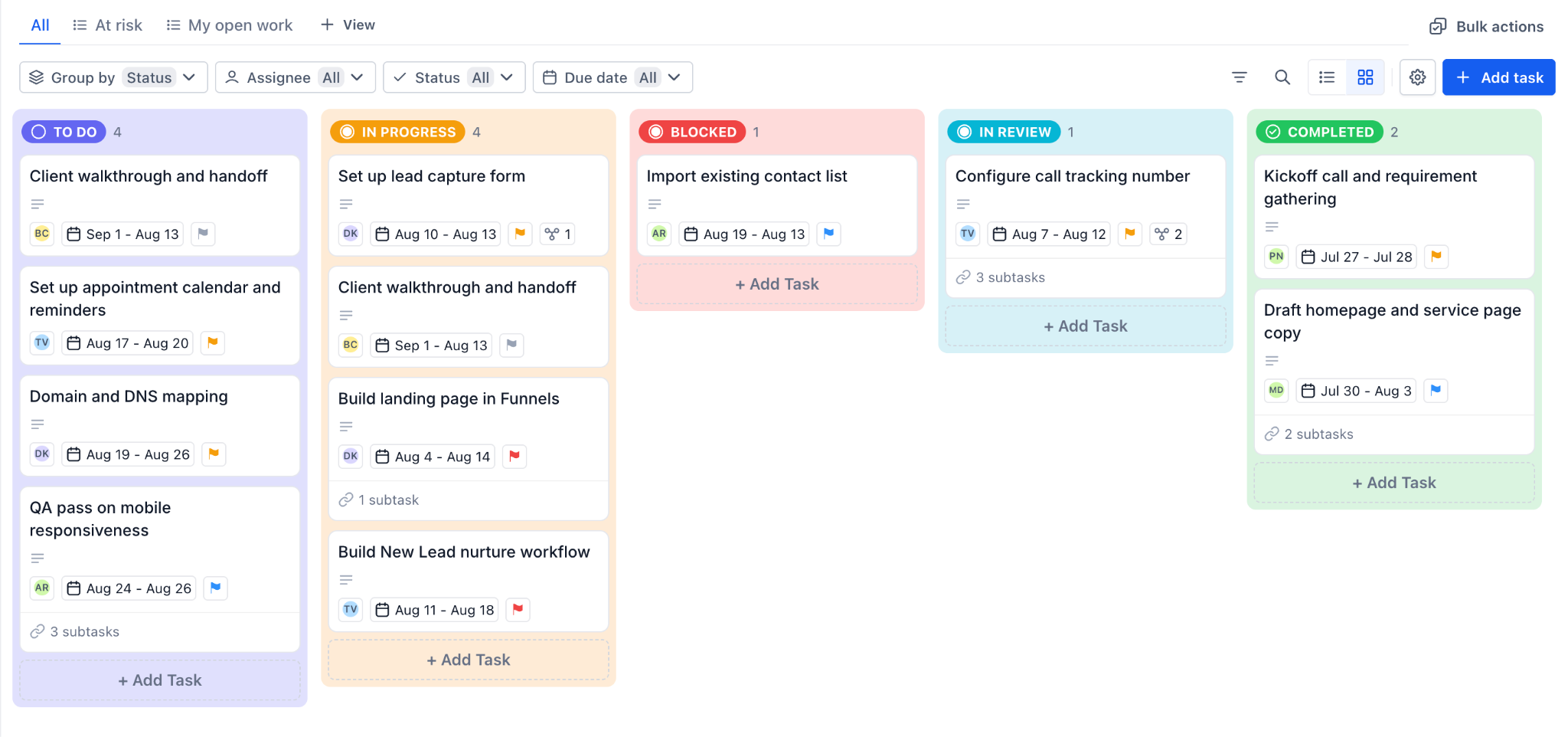
Give each task an owner, a date, and a priority. Replace “I thought someone was handling it” with a clear next action.

PROJECT MANAGEMENT
Your next client shouldn’t mean another spreadsheet, another subscription, or another evening trying to remember what you promised. Bring your projects, tasks, and client context together, so your team knows what happens next and you can focus on the work only you can do.
Unlimited Premium Done For You Support On Every Paid Subscription.
LESS CHASING. MORE FINISHING.
Give each task an owner, a date, and a priority. Replace “I thought someone was handling it” with a clear next action.
Switch between a visual board and a detailed list. Spot work that needs attention before a client has to ask for an update.
Connect tasks to client records and keep task comments together. Your team can pick up the conversation without asking you to explain it all again.
YOUR PROJECT MANAGER AI AGENT
You bring the vision. Your Project Manager AI Agent helps turn it into tasks, assign the next steps to your team, and keep your priorities moving. Follow through on the promises you make and stay focused on what matters most, instead of spending your best energy remembering every detail.
ONE PLACE FOR WHAT MATTERS NEXT
Stop searching for the note before you can start the work. Keep your tasks, projects, deadlines, and client context together in one easy-to-access workspace, at your desk or on the go. Your personal AI agents bring proactive reminders and accountability, helping you pick up where you left off and keep important promises from falling through the cracks.
A BETTER FIRST IMPRESSION
A signed client should feel like a win. Have AI assist you in building a better onboarding experience: turn your process into clear steps, responsibilities, and deadlines. Your team delivers the experience you sold without making you the reminder system.
YOUR IDEAS, TURNED INTO ACTION
Use plain English to build project structure, create tasks, set dates, and update progress. Ask AI prepares the changes for your approval, so you can spend less time clicking through setup and more time deciding what matters.
“Create a client onboarding list. Add the kickoff, welcome email, and first deliverable as tasks. Ask me who should own each step before assigning them.”
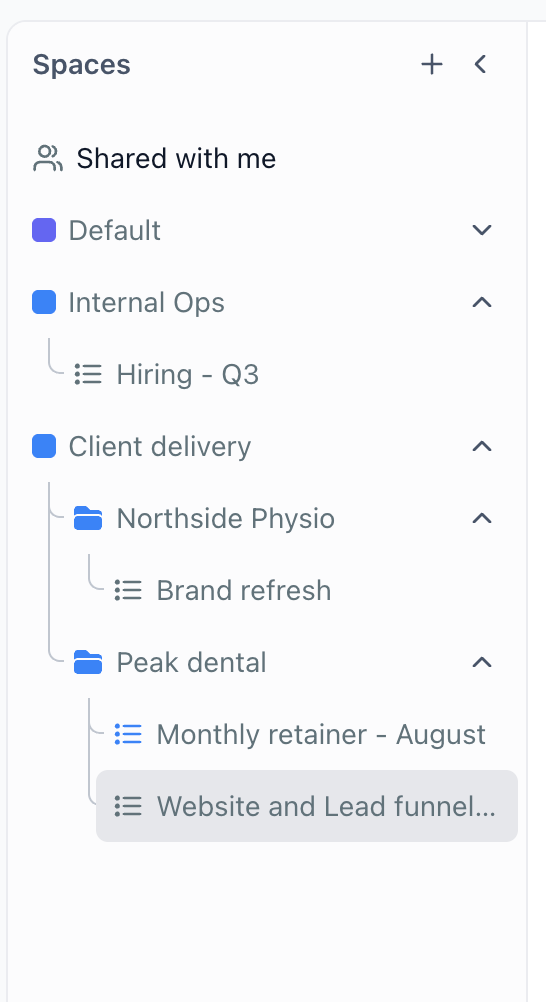
Example RequestTurn the process in your head into a space, list, tasks, and smaller steps.
Update deadlines, priorities, and status when the plan changes instead of rebuilding it.
Associate supported CRM records with the work so delivery stays connected to the relationship.
THE CALL ENDS. THE FOLLOW-THROUGH BEGINS.
Your business phone calls, Meeting Room recordings, and Zoom calls are already connected to Ask AI. It already has access to your transcripts, so you can go from a conversation to clear follow-up actions without copying, pasting, or uploading notes. Ask it to create the next steps, assign the work, and help your team follow through while the conversation is still fresh.
WORK WITH THE ASSISTANT YOU ALREADY LOVE
Your favorite AI agent can work with your project management system. Connect ChatGPT, Claude, Muse, Grokbot, or Google Gemini through MCP and turn the ideas in your AI conversations into organized work in KontactKeeper.
 ChatGPT
 Claude
 Muse
 Grokbot
 Google Gemini
Use your existing agent to migrate your high-priority projects into your new KontactKeeper project management system. Keep the priorities you have already discussed and bring them into one place your team can act on.
Ask your connected agent to create tasks and subtasks, organize lists, or update supported fields.
Review task discussions, add a useful update, and ask for help identifying your next action.
Keep the work inside KontactKeeper even when the conversation starts in your favorite compatible AI tool.
DON’T RELY ON REMEMBERING
Use supported task-added and task-completed triggers to move an established process forward.
Build reminders around task dates so important work gets attention before the deadline passes.
Tell us how your onboarding or delivery process should work. We’ll configure the supported task workflow for you.
FEWER SEPARATE BILLS. FEWER PLACES TO CHECK.
Stop paying for separate places to manage your tasks, projects, and team follow-through. Bring the work closer to the clients it serves. Our mission at KontactKeeper is to help you consolidate your subscriptions.
See Other Subscriptions You Could Cancel Next Asana
 Monday.com
 Notion
 ClickUp
Editable example. Enter your total bill, including team licenses.
Potential Separate Bill To Remove
$1,200 / YearYOU DON’T NEED ANOTHER SETUP PROJECT
Unlimited premium Done For You support is included with every paid KontactKeeper subscription. Bring us your process, your goals, and the details your team works with. We’ll help organize the supported setup, configure useful workflows, and review what can move from your current tools.
Ask AI supports project and task creation with details such as assignees and dates. Review its proposed changes before approving them. External agents need an authorized supported connection.
See Ask AIYes. Ask AI already has access to transcripts from your connected business phone calls, Meeting Room recordings, and Zoom calls. Ask it to turn the conversation into tasks, next steps, and an organized follow-up plan without manually moving notes between tools.
Explore Business Phone SystemYes. Organize the steps, responsibilities, and deadlines behind a repeatable onboarding experience. Our team can help build the supported setup.
Explore Done For You SupportNo. Keep the tools you still need while you review what can be consolidated. Our included migration service helps you plan a supported transition.
Explore Migration ServicesFOCUS ON WHAT MATTERS MOST
Bring your client work, team responsibilities, and next steps into a connected system, with a human team to help you build it.
Get Started With KontactKeeper